
Why Most To-Do Systems Fail (and What Actually Sticks)
Most to-do systems fail from friction, over-structure, and unrealistic routines. Build a workflow that captures fast, adapts, and stays reliable anywhere.
1) The real reasons to-do systems get abandoned

Most task management breakdowns aren’t about motivation—they’re about design. When capture takes too long, you stop capturing. If you have to pick the “perfect” project, folder, priority, and due date before you can save a thought, your brain learns that writing things down is expensive. That friction quietly taxes personal productivity, especially in the moments when you need it most: hallway requests, mid-meeting changes, or late-night “don’t forget this” insights.
The second failure mode is over-structuring. Many systems thinking approaches get misapplied into rigid taxonomies that don’t match real life. Work arrives messy, priorities shift daily, and you often don’t know what something is until later. Finally, unrealistic routines finish the job: a system that only works if you do a perfect morning review, a weekly reset, and a nightly shutdown will collapse during travel, exams, deadlines, or illness. A sustainable habits loop is one that still works on your worst week, not just your best one.
2) What actually sticks: evidence-backed principles for a resilient workflow
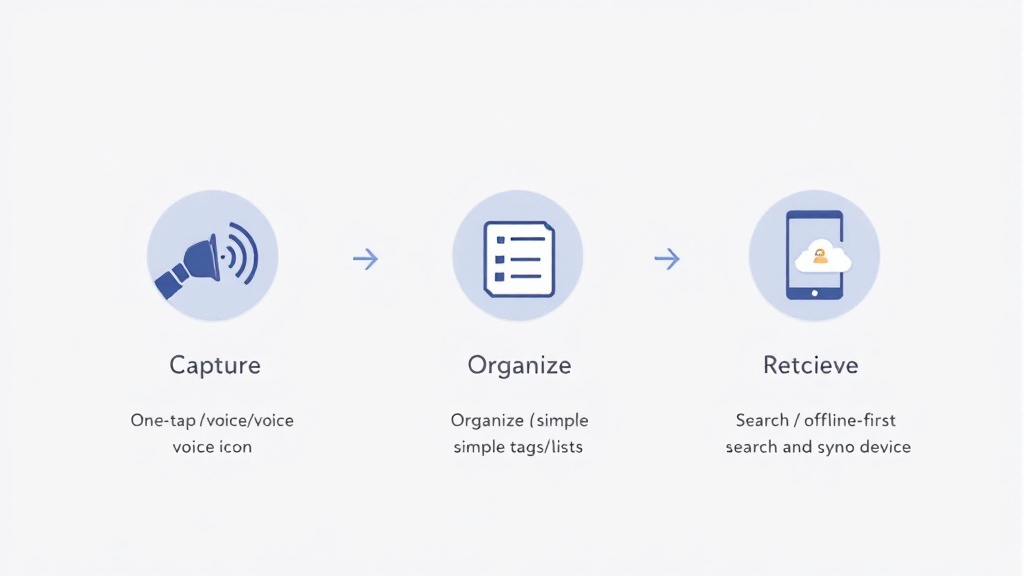
Reliable task management is less about the “perfect method” and more about lowering the cost of doing the right thing. The first principle is fast capture: you should be able to save a task or note in seconds, even with voice, even offline. This supports personal productivity because it externalizes memory before it decays—no waiting for the “right time” to organize.
Second, use minimal structure that scales. Lists, light tags, and a simple priority signal are often enough. Think “good defaults” rather than endless customization: you can always refine later, but you can’t recover what you never captured. Third, build for trust through retrieval. Search must be dependable, reminders must fire, and syncing should be boring—in a good way. Offline-first design matters here: if your system only works when connectivity is perfect, your habits will fragment. Strong systems thinking means designing for constraints (bad Wi‑Fi, new phones, conflicting edits), so your workflow survives real life rather than requiring it to behave.
3) A workflow that survives busy weeks (and the tool choices that support it)

If you want a system that sticks, design it for the “messy middle.” Start with one inbox for everything—tasks and notes together—so capture is frictionless. Use tags only when they answer a real question later (course codes, client names, “home”), and keep priorities simple (e.g., Now/Next/Later). Then create a daily view that shows only what you can act on today. This approach reduces context-switching and keeps task management usable when your schedule changes.
Next, make reminders rare but meaningful: attach times to commitments, not hopes. A 6pm reminder for “Revise lab report—due Friday” is a commitment; “someday learn Spanish” is not. Finally, ensure continuity across devices. Tools like PocketPriority Sync are built around these constraints: one-tap capture (including voice), lightweight lists/tags/priorities, and offline-first sync with conflict resolution so your notes and checklists stay findable after you sign in on a new phone. When your system is dependable, your habits become easier—and personal productivity becomes a byproduct, not a battle.